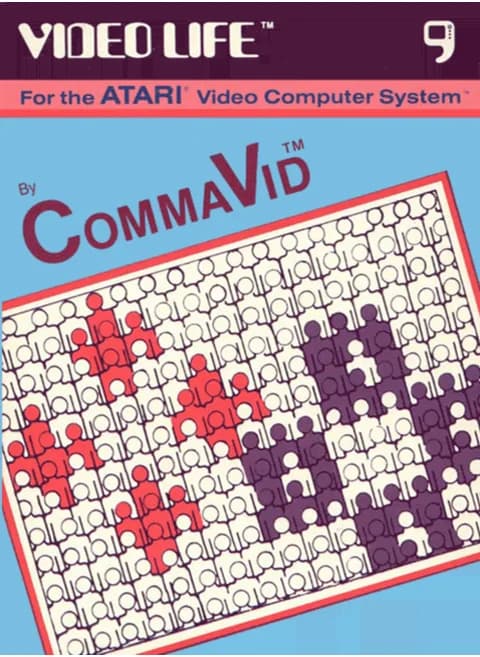
About Video Life (1984) — CommaVid, John Bronstein · f84006
| Platform | Atari 2600 |
|---|---|
| Publisher | CommaVid |
| Model # | CM002 |
| Designer/programmer | John Bronstein |
| Players | 1 |
| Controllers | Two joysticks |
| Type | Life simulation, no score |
Video Life is CommaVid's Atari 2600 life simulation. There is no score: you set a starting pattern of dots and watch the game apply its rules to it, generation after generation, about once a second. The left joystick moves a bright dot and its fire button adds or removes cells, so squares, diamonds and straight lines can be drawn dot by dot; the right joystick freezes the growth and its fire button restarts it. The dot field wraps around at the edges, and flipping the left difficulty switch up speeds the generations along, though it makes the picture flicker. Both joysticks need to be plugged in.
Controls
- Arrow keys = joystick
- X = fire button
- Enter = console Reset switch (starts a game)
- V = console Select switch (cycles game modes)
- Q / Tab = left difficulty A / B; E / R = right difficulty A / B
- 1 = quick save state, 2 = quick load, 3 = change save slot (saved in this browser)
- Every key can be remapped in the emulator's Control Settings; USB/Bluetooth gamepads work too
- On phones/tablets, turn on the on-screen touch gamepad from the game page
Tips
- Hold the left stick in one direction and tap its fire button to draw a dotted line instead of a single cell.
- Push the right stick in any direction to freeze a pattern, then edit it with the left stick and its fire button.
- Adding or removing one cell can mean the difference between a pattern dying out and one that fills the screen.
FAQ
- Is there a high score to beat?
- No. The display shows a generation counter instead, and the point is the patterns themselves.
- Why did the screen start flashing colors?
- Left on with no new generations for more than ten minutes, the picture begins changing colors rapidly; it stops as soon as you play again.
- Do I need two controllers?
- Yes, both joysticks are used: the left draws and edits, the right starts, stops and steps the growth.
Sources
Last updated:


Player comments
0 approvedNo public comments yet. Share a memory from this game.