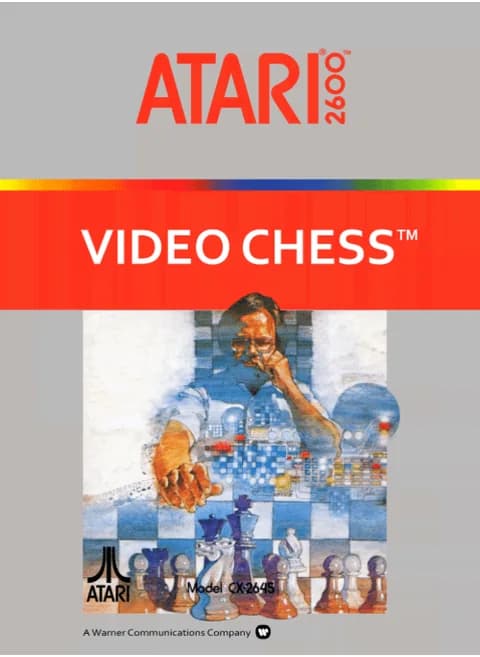
About Video Chess (1979)
| Released | November 1979 (North America, 2600) |
|---|---|
| Publisher | Atari, Inc. (CX2645) |
| Programmers | Larry Wagner, Bob Whitehead |
| Genre | Strategy (chess) |
| Players | 1 (against the computer) |
| Skill levels | 8, chosen with Select |
Atari's chess cartridge reached shops in November 1979, written by Larry Wagner and Bob Whitehead. The whole board fits on one screen seen from above, and a flashing X cursor lifts and drops the pieces; an attempt at an illegal move is refused with a warning tone instead of being played. Every game is against the machine, which answers on one of eight levels picked with Select. Level 1 replies in about fifteen seconds, level 7 can take up to ten hours over a single move, and level 8 is the quick beginner setting.
The two console switches do the setup work. Left on B gives the normal starting array; left on A lets you fill squares yourself by cycling pieces under the cursor, which is the way to build a study position. Right on A puts the computer on white and it opens; right on B you take white. Castling is a two-square king move and the rook follows on its own, en passant capture is allowed, and a pawn reaching the far rank queens automatically unless you flip the left switch to A and press fire to choose another piece.
Showing eight pieces across a row on hardware that draws three sprites per line took a trick Whitehead called Venetian blinds, alternating a sprite's horizontal position on alternate lines so one object reads as two. The shipping cartridge is 4KB.
Controls
- Arrow keys = joystick
- X = fire button
- Enter = console Reset switch (starts a game)
- V = console Select switch (cycles game modes)
- Q / Tab = left difficulty A / B; E / R = right difficulty A / B
- 1 = quick save state, 2 = quick load, 3 = change save slot (saved in this browser)
- Every key can be remapped in the emulator's Control Settings; USB/Bluetooth gamepads work too
- On phones/tablets, turn on the on-screen touch gamepad from the game page
Tips
- Learn the pieces on level 8, which answers in seconds, then move to level 1 and work upward; the numbers rise in strength, not speed.
- Set the left switch to A to place your own endgame position, then flip back to B and play it out.
- Select changes the level whenever you like, including mid-game.
- To make anything other than a queen, put the left switch on A before the pawn lands and press fire.
FAQ
- How do I know which colour I am?
- The colour of the skill-level number at the top of the screen matches your side; right switch A makes that side black, B makes it white.
- How long will the computer think?
- Roughly 15 seconds on level 1, 45 seconds on 3, about three minutes on 4, twelve on 6 and up to ten hours on 7.
- Can I practise a position instead of playing from the start?
- Yes. Left switch A lets you drop pieces on any square, and once you are done, B returns you to normal play with you moving first.
Sources
- Wikipedia: Video Chess
- AtariAge: software label page (ID 581)
- AtariAge: HTML manual (label ID 581)
- Computing History: Video Chess (CX2645)
- github.com/EmulatorJS/EmulatorJS (v4.2.3 default keyboard map)
Last updated:


Player comments
0 approvedNo public comments yet. Share a memory from this game.