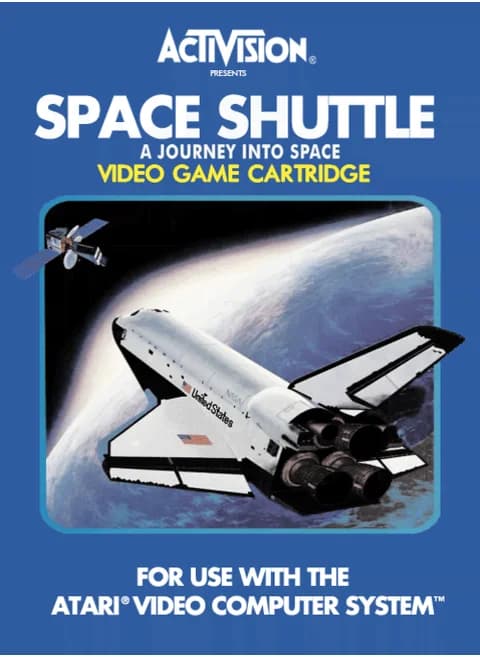
About Space Shuttle - A Journey Into Space - Eine Reise ins All (1983, PAL)
| Platform | Atari 2600 |
|---|---|
| Version | PAL (Europe), 1983 |
| Publisher | Activision |
| Programmer | Steve Kitchen |
| Players | 1 |
| Controls | Atari joystick and console switches |
| Flight modes | 3 (auto-simulator, simulator, STS 101) |
| Target | Dock with a satellite about 210 nautical miles up |
Space Shuttle is Activision's Atari 2600 simulation of a shuttle mission, released in Europe in PAL format under the title Eine Reise ins All. You take the shuttle from the launch pad to orbit, rendezvous and dock with a satellite about 210 nautical miles above Earth, then fly home and land at Edwards Air Force Base. The console's switches are part of the cockpit: color/black-and-white runs the main engines, Reset starts the countdown and Select calls up status readouts, while the joystick handles thrust, pitch and steering. Three flight modes start with an auto-simulator and end with a full mission.
Controls
- Arrow keys = joystick
- X = fire button
- Enter = console Reset switch (starts a game)
- V = console Select switch (cycles game modes)
- Q / Tab = left difficulty A / B; E / R = right difficulty A / B
- 1 = quick save state, 2 = quick load, 3 = change save slot (saved in this browser)
- Every key can be remapped in the emulator's Control Settings; USB/Bluetooth gamepads work too
- On phones/tablets, turn on the on-screen touch gamepad from the game page
Tips
- Match the thrust arrow to the computer arrow on liftoff; a flashing arrow means you are burning fuel.
- Open the cargo bay doors during the first orbit - shut, the heat warning leaves you about 30 seconds before an abort.
- Tap the stick rather than holding it down while maneuvering; tapping saves fuel.
FAQ
- What do the three flight modes do?
- Flight 1 is an auto-simulator that flies an abbreviated mission without input from the console, flight 2 is a practice simulator that uses no fuel and overrides most aborts, and flight 3 is the full mission with every abort active.
- How is a flight graded?
- A safe landing in flight 3, at Edwards Air Force Base, gets you ranked by the computer on dockings completed and fuel units left; four or five dockings with 4,500 units is a Pilot rating, six or more with 7,500 a Commander.
- What happens if the cargo bay doors stay shut?
- Heat builds up, a warning horn sounds, and you have about 30 seconds to open them before the mission has to be aborted.
Sources
Last updated:



Player comments
0 approvedNo public comments yet. Share a memory from this game.