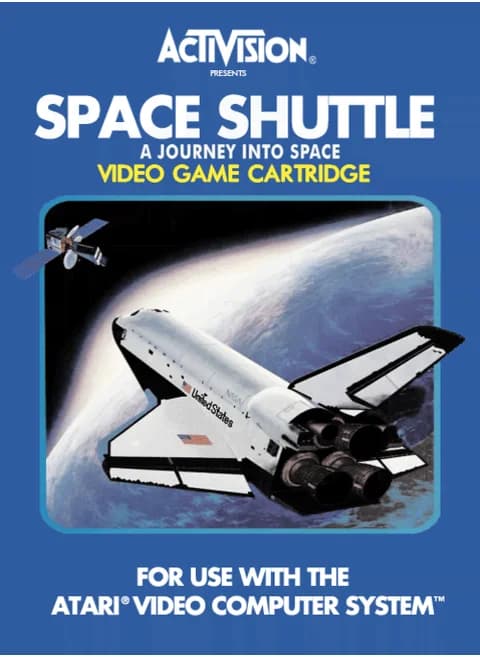
About Space Shuttle - A Journey Into Space (1983) — Activision · ff7223
| Platform | Atari 2600 |
|---|---|
| Year | 1983 |
| Publisher | Activision |
| Developer | Activision |
| Programmer | Steve Kitchen (now Jessica Stevens) |
| Model # | AZ-033 |
| Players | 1 |
| Genre | Flight simulator |
| Flight modes | 3 |
Space Shuttle: A Journey into Space is the Atari 2600 flight simulator Activision published in 1983, programmed by Steve Kitchen, who is now credited as Jessica Stevens. A single player takes the orbiter through launch, orbital stabilisation, docking with a satellite, the deorbit burn, reentry and landing. The console itself becomes the cockpit: colour/B&W works the main engines, the difficulty switches stand in for backup engines and cargo doors/landing gear, and the reset switch starts the countdown. The original cartridge shipped with an overlay for the console switches and a flight manual, and offers three modes: an autosimulator, a fuelless training simulation, and the full mission with every abort live.
Controls
- Arrow keys = joystick
- X = fire button
- Enter = console Reset switch (starts a game)
- V = console Select switch (cycles game modes)
- Q / Tab = left difficulty A / B; E / R = right difficulty A / B
- 1 = quick save state, 2 = quick load, 3 = change save slot (saved in this browser)
- Every key can be remapped in the emulator's Control Settings; USB/Bluetooth gamepads work too
- On phones/tablets, turn on the on-screen touch gamepad from the game page
Tips
- During launch, keep the thrust bar lined up with the computer's marker; a flashing thrust bar means fuel is being wasted.
- Get the cargo doors open on your first orbit; once the heat warning sounds, only 30 seconds remain before the mission aborts.
- In the full mission, tap the stick instead of holding it down, which saves fuel; the fuel left after landing counts toward your rank.
FAQ
- What are the three flight modes?
- Flight 1 is an autosimulator that flies an abbreviated mission until you touch the stick, flight 2 is a simulator that burns no fuel, and flight 3 is the full STS-101 mission with every abort active.
- How is the flight graded?
- Landing safely in flight 3 earns a rank from the dockings completed and the fuel left: Commander at six or more dockings and 7,500 units, Pilot at four or five and 4,500, Mission Specialist at two or three and 3,500, Payload Specialist at one.
- Which shuttle do you fly?
- The flight is the 101st mission of the Space Transportation System aboard Discovery, and the target is a satellite orbiting roughly 210 nautical miles above Earth.
Sources
- Wikipedia: Space Shuttle: A Journey into Space
- AtariAge: Space Shuttle - Standard label (label page)
- AtariAge: Space Shuttle (manual)
Last updated:


Player comments
0 approvedNo public comments yet. Share a memory from this game.