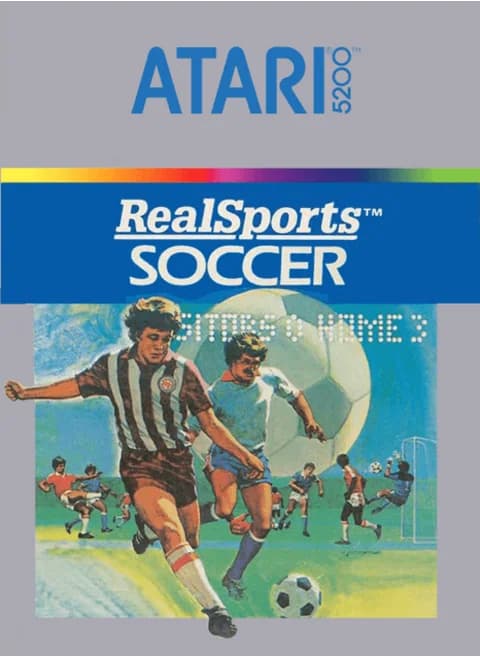
About RealSports Soccer (NA)
| Released | April 1983 (Atari 5200) |
|---|---|
| Developer | Atari, Inc. |
| Programmer | John Seghers (5200 version) |
| Publisher | Atari, Inc. |
| Catalog | CX5213 |
| Genre | Sports (association football) |
| Players | 1-2 |
RealSports Soccer arrived on the Atari 5200 in April 1983 alongside the 2600 edition, but it is a separate program rather than a copy: John Seghers wrote the 5200 version, and its goalkeepers are computer-controlled. Five players make up a side — four outfielders and the keeper — and the pitch scrolls sideways across roughly three screens.
The 5200's analogue stick sets speed by how far you push it: walking near the centre, sprinting at the rim. Two red buttons on either grip do the same job, driving a low ball with the lower one and lofting it with the upper one; the keypad adds preset kick heights and turns keys 4 through 9 into player switches while you defend. A match opens as two players and five-minute halves. The options screen pushes halves to 45 minutes, sets the computer opponent to Beginning, Novice, Intermediate or Expert, and offers Auto-Play for watching two machine teams. Out of play, throw-ins, goal kicks and corners all restart from fixed spots, with the goalie handling the goal kicks himself. Trak-Ball owners can plug one into the first controller jack and roll to move.
Controls
- Arrow keys = joystick
- Z = fire button 1 (lower)
- X = fire button 2 (upper)
- Enter = Start
- V = Pause
- S = keypad *, A = keypad #
- 1 = quick save state, 2 = quick load, 3 = change save slot (saved in this browser)
- Every key can be remapped in the emulator's Control Settings; USB/Bluetooth gamepads work too
- On phones/tablets, turn on the on-screen touch gamepad from the game page
Tips
- Aim diagonally at the goal. A straight run at the keeper is the easiest shot in the game to block; approach from an angle so one post stays open.
- Save lofted kicks for distance and use the ground kick inside the area — a short low ball can still beat a keeper who has already moved.
- Set the kick height on the keypad before you press, and remember it stays set: LOW for short passes, HIGH for long balls, MED in between.
- Press any key from 4 to 9 while defending to hand control to a different fielder, then pass back to your keeper to clear the danger upfield.
- Strike the ball while moving fast and it travels further; on a corner kick that same power is how you put one out of play, so slow down first.
FAQ
- How many players are on each team?
- Four outfielders plus a goalkeeper. Only your on-ball fielder is under your control; the computer handles the rest of your side and both keepers.
- Can I change the length of a match?
- Yes. Halves run from 5 to 45 minutes on the options screen, and the default two-player game is set to five-minute halves.
- Does the 5200 Trak-Ball work?
- It does. Plug it into controller jack 1 and keep the red buttons for kicking; a second pad or Trak-Ball goes in jack 2.
Sources
- Wikipedia: RealSports Soccer
- Wikidata: Q105675584
- AtariAge: RealSports Soccer software page (ID 656)
- AtariAge: RealSports Soccer HTML manual (ID 656)
Last updated:
Player comments
0 approvedNo public comments yet. Share a memory from this game.