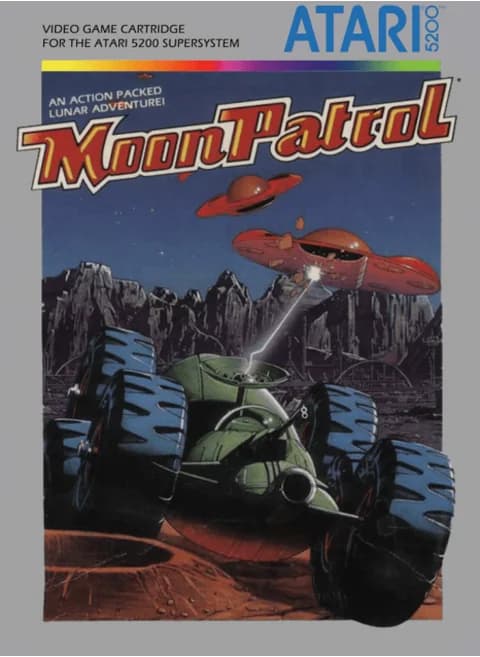
About Moon Patrol (NA)
| Year | 1983 |
|---|---|
| Released | Atari 5200: December 1983 (arcade original 1982) |
| Developer | Atari, Inc. (port); Irem (original) |
| Publisher | Atari, Inc. |
| Genre | Scrolling shooter |
| Players | 1–2 |
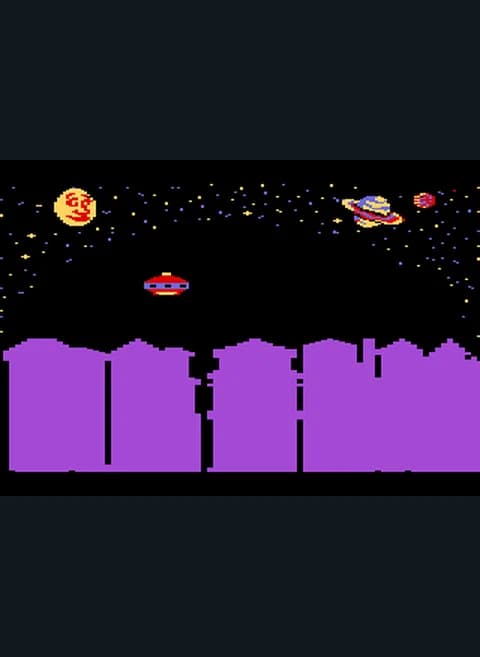
Moon Patrol is a 1982 side-scrolling arcade shooter from Irem, designed by Takashi Nishiyama and released in North America by Williams Electronics. It is often credited with introducing full parallax scrolling to side-scrolling games. Atari made most of the home ports, and this page runs its Atari 5200 version from December 1983. Its title screen credits Williams Electronics and shows the player count next to the * key and the course next to the # key.
You are a Luna City police officer assigned to Sector Nine, home of the toughest thugs in the galaxy. Your moon buggy keeps rolling to the right across the surface of the Moon. You jump over craters and mines, and you shoot rocks and other obstacles out of the way. Every shot fires two bullets at once: one goes straight ahead along the ground and one goes straight up. The upward shot is your defense against the UFOs that attack from above. One type of UFO drops bombs that leave new craters in the ground.
Each course is divided into 26 checkpoints named after the letters of the alphabet, and the progress bar at the top of the screen shows how far you have come. There are two courses, Beginner and Champion. In the arcade original, finishing a stage faster than the average time earns bonus points.
Controls
- Arrow keys = joystick
- Z = fire button 1 (lower)
- X = fire button 2 (upper)
- Enter = Start
- V = Pause
- S = keypad *, A = keypad #
- 1 = quick save state, 2 = quick load, 3 = change save slot (saved in this browser)
- Every key can be remapped in the emulator's Control Settings; USB/Bluetooth gamepads work too
- On phones/tablets, turn on the on-screen touch gamepad from the game page
Tips
- Jump a little before a crater rather than at the edge. The buggy needs room to land.
- Keep firing upward when UFOs appear, since your forward and upward shots come out together.
- Watch for craters the bombers create. They can appear right in front of you.
- Start on the Beginner course to learn the obstacles before trying Champion.
FAQ
- How does shooting work?
- Each shot fires one bullet forward along the ground and one straight up at the same time.
- What do the letters at the top mean?
- They are checkpoints. Each course has 26, named A to Z, and the bar shows how far you have driven.
- What courses are there?
- Two: the Beginner course and the Champion course. The title screen shows the current course next to the # key.
Sources
- Wikipedia: Moon Patrol
- Wikipedia: List of Atari 5200 games
- Wikipedia: Irem
- github.com/EmulatorJS/EmulatorJS (v4.2.3 default keyboard map)
Last updated:
Player comments
0 approvedNo public comments yet. Share a memory from this game.