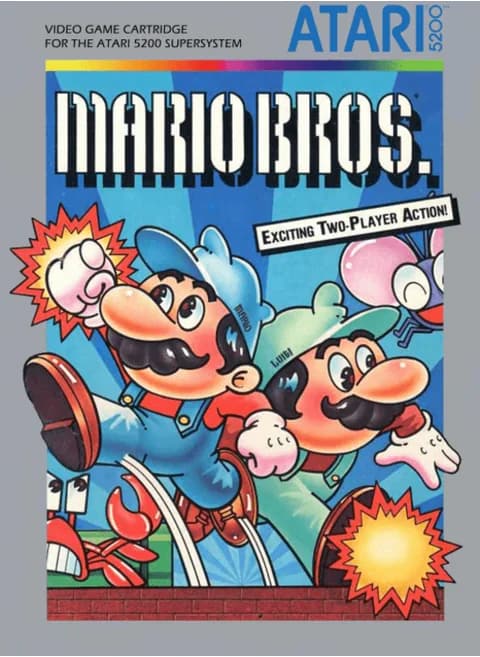
About Mario Bros. (NA)
| Year | 1984 |
|---|---|
| Released | 1984-02 (Atari 5200); arcade original 1983 |
| Developer | Atari, Inc.; arcade original by Nintendo R&D1 |
| Publisher | Atari, Inc. |
| Genre | Platform |
| Players | Not confirmed in testing |
Mario Bros. is a 1983 Nintendo arcade game designed by Shigeru Miyamoto and Gunpei Yokoi. It is the first spin-off of the Donkey Kong series, and it introduced Luigi, enemy turtles and floating coins, which later carried over into Super Mario Bros. Atari, Inc. developed and published the Atari 2600 and 5200 versions, and the 5200 cartridge on this page came out in February 1984.
In the arcade game the plumbers Mario and Luigi investigate the sewers of New York, where strange creatures have been appearing. Each phase is a set of platforms with pipes in the corners and a POW block in the middle. You cannot jump on enemies to defeat them. Instead, you hit the platform directly beneath an enemy to flip it on its back, then kick it off before it recovers. The screen wraps around, so anything that leaves one side comes back on the other, and bonus coins come out of the pipes after enemies are defeated.
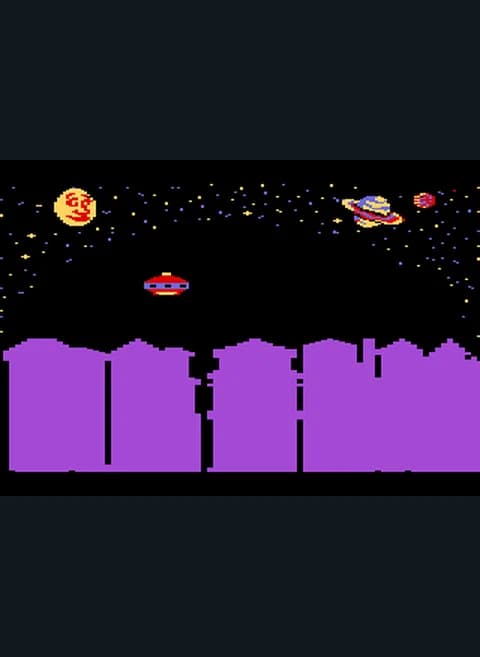
On this page the title screen reads "COPYRIGHT NINTENDO OF AMERICA INC. 1983" with "* 1 PLAYER" and "# DEMO". After starting, the top bar showed "MARIO 5" and "TOP", turtles came out of the pipes, and the POW block sat in the middle of the screen.
On this page the 5200 joystick is the arrow keys, the lower fire button is Z and the upper one is X, Enter is Start, V is Pause, and S and A are the keypad * and # keys.
Controls
- Arrow keys = joystick
- Z = fire button 1 (lower)
- X = fire button 2 (upper)
- Enter = Start
- V = Pause
- S = keypad *, A = keypad #
- Title screen: * (S) = 1 PLAYER, # (A) = DEMO; Enter (Start) began a game in testing
- 1 = quick save state, 2 = quick load, 3 = change save slot (saved in this browser)
- Every key can be remapped in the emulator's Control Settings; USB/Bluetooth gamepads work too
- On phones/tablets, turn on the on-screen touch gamepad from the game page
Tips
- Hit enemies from below to flip them, then run over and kick them off.
- Don't wait too long after flipping an enemy, or it gets back up.
- Use the screen wrap to escape: walk off one side to appear on the other.
- Collect the bonus coins that come out of the pipes.
FAQ
- Who made the Atari 5200 version?
- Atari, Inc. developed and published it in February 1984.
- How do I start a game?
- The title screen shows '* 1 PLAYER' and '# DEMO'. On this page * is S, and pressing Start (Enter) also began a game in testing.
- Can I jump on enemies?
- No. As in the arcade game, you flip them by hitting the platform below them, then kick them.
Sources
- Wikipedia: Mario Bros.
- Wikipedia: List of Atari 5200 games
- github.com/EmulatorJS/EmulatorJS (v4.2.3 default keyboard map)
Last updated:
Player comments
0 approvedNo public comments yet. Share a memory from this game.