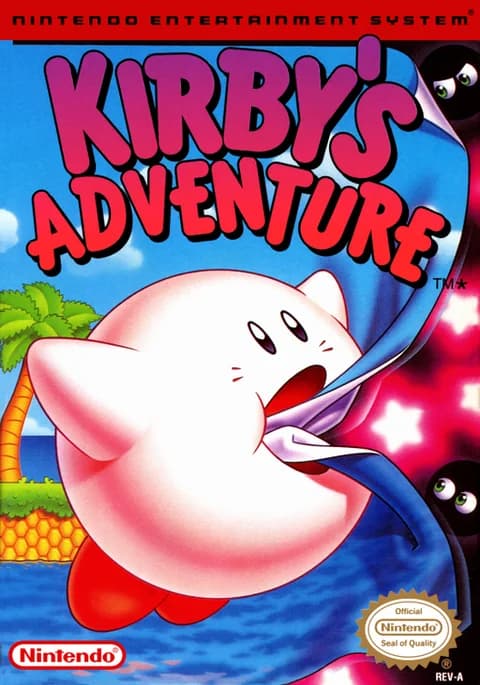
About Kirby's Adventure
| Year | 1993 |
|---|---|
| Released | JP 1993-03-23 · NA May 1993 · PAL 1993-09-12 |
| Developer | HAL Laboratory |
| Publisher | Nintendo |
| Genre | Platformer |
| Players | 1 |
Kirby's Adventure is HAL Laboratory's 1993 NES platformer, and the game where Kirby really became Kirby. It's the second game in the series after Kirby's Dream Land on Game Boy. It's also the first to feature the Copy Ability, which lets Kirby swallow certain enemies and take their powers. Director Masahiro Sakurai came up with the idea to add challenge and replay value after the first game was criticized as too simple. It's also the first game to show Kirby in color, finally in the pink Sakurai had always imagined.
The story starts when an evil entity called Nightmare corrupts the Fountain of Dreams, which gives Dream Land its restful sleep. King Dedede steals the Star Rod that powers the fountain and hands its pieces to his friends, and Kirby, assuming the worst of Dedede, sets out across Dream Land to get them back. As in his first outing, Kirby can inhale enemies and spit them out as stars, or puff up and fly. Swallowing certain enemies gives him their ability, but he loses it when he takes a hit and has to grab it again quickly before it disappears.
The adventure spans 41 levels across seven worlds. Each world has a lobby with doors to its levels and a Warp Star door back to earlier areas.
The loop is to inhale, copy, experiment and find every secret door.
Controls
- Arrow keys = D-pad
- Z = A button
- X = B button
- Enter = Start
- V = Select
- In game: Z (A) = jump; ↑ = puff up and float, then Z (A) to flap higher; X (B) = inhale, spit out a star, or use a copied ability; ↓ = swallow (copies the enemy's ability); V (Select) = drop the ability; Enter (Start) = pause
- 1 = quick save state, 2 = quick load, 3 = change save slot (saved in this browser)
- Every key can be remapped in the emulator's Control Settings; USB/Bluetooth gamepads work too
- On phones/tablets, turn on the on-screen touch gamepad from the game page
Tips
- Experiment with abilities. Different copy powers open different paths and make some bosses much easier.
- After you take a hit, chase your dropped ability star quickly before it disappears.
- Use each world's Warp Star door to revisit earlier areas and look for things you missed.
- Flying is a safe way across gaps. Pressing X (B) while puffed up shoots a weak air pellet, but Kirby exhales and starts to fall, so press ↑ to puff up again.
FAQ
- Can I play Kirby's Adventure online for free?
- Yes. Click Start Game and it runs in your browser, with touch controls on mobile.
- Which Kirby game introduced Copy Abilities?
- Kirby's Adventure (NES, 1993). It was the first game in the series with the Copy Ability.
- How many levels does Kirby's Adventure have?
- 41 levels across seven worlds, plus bosses in each world.
Sources
- Wikipedia: Kirby's Adventure
- Wikipedia: List of Nintendo Entertainment System games
- www.nintendo.co.jp/clv/manuals/en/pdf/CLV-P-NAAPE_en.pdf (Nintendo manual: controls)
- github.com/EmulatorJS/EmulatorJS (v4.2.3 default keyboard map)
- github.com/libretro/libretro-fceumm
Last updated:
Player comments
0 approvedNo public comments yet. Share a memory from this game.