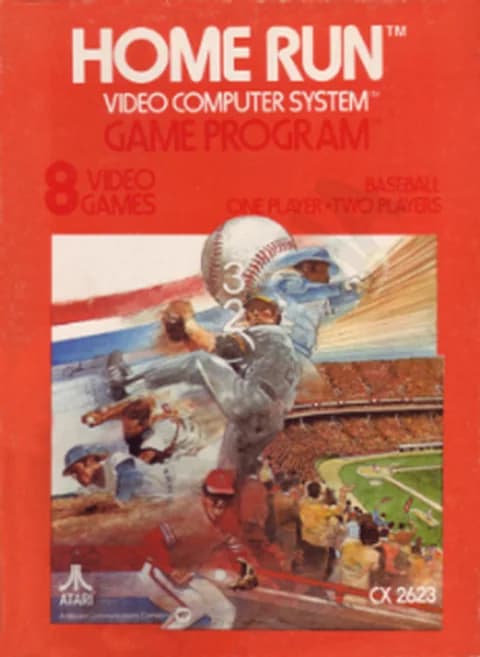
About Home Run (PAL)
| Platform | Atari 2600 |
|---|---|
| Year | 1978 |
| Publisher | Atari |
| Model # | CX2623 |
| Programmers | Bob Whitehead, David Rolfe |
| Players | 1-2 |
| Controller | Atari joystick |
| Variations | 8 |
| Innings | 9 |
| Format | PAL |
Home Run is Atari's baseball game for the Atari 2600, catalogue CX2623, released in 1978 and written by Bob Whitehead and David Rolfe. One or two players take a side, and the game runs nine innings of three outs apiece, with four balls sending the batter to first and three strikes retiring him.
The joystick does everything. Sending it off centre swings the bat; with the ball in play the same stick moves your fielders, who have to run the ball to a base or tag the runner, since there is no throw to first. On the mound the red button pitches, and pushing the joystick after release bends the ball into curves, fastballs, screwballs or change-ups; at the plate the button stops your runner on the base he is heading for.
Eight variations are on the cartridge, four against the computer and four for two players, and the difficulty switch changes how fast outfielders and batted balls travel. The home side bats in the bottom of the ninth whatever the score, and a tie is simply left tied. This is the PAL cartridge.
Controls
- Arrow keys = joystick
- X = fire button
- Enter = console Reset switch (starts a game)
- V = console Select switch (cycles game modes)
- Q / Tab = left difficulty A / B; E / R = right difficulty A / B
- 1 = quick save state, 2 = quick load, 3 = change save slot (saved in this browser)
- Every key can be remapped in the emulator's Control Settings; USB/Bluetooth gamepads work too
- On phones/tablets, turn on the on-screen touch gamepad from the game page
Tips
- Press the red button before your runner reaches a base and he stops there, which saves him when a fielder is about to make the tag.
- Swing by pushing the joystick away from centre in any direction; the ball is in play as soon as you do.
- Push the joystick after the pitch leaves the pitcher to bend the ball — curves, fastballs, screwballs and change-ups are all in there.
- On difficulty A the outfielders and the batted ball travel more slowly than on B, which changes the pace of a play.
- There are no extra innings: a level score after the ninth simply stands.
FAQ
- What player counts does it support?
- One or two. Variations 1 to 4 are a single player against the computer, and 5 to 8 are two-player games.
- Can a fielder throw to first base?
- No. A fielder has to run the ball to first base before the runner gets there or tag the runner out, so he carries the ball himself.
- What happens if the score is level after nine innings?
- The game ends level. It has no extra innings, and the home side bats in the bottom of the ninth either way.
Sources
- Wikipedia: Home Run (video game)
- AtariAge: Home Run (Atari) label page (ID 236)
- AtariAge: Home Run (Atari) manual (ID 236)
Last updated:


Player comments
0 approvedNo public comments yet. Share a memory from this game.