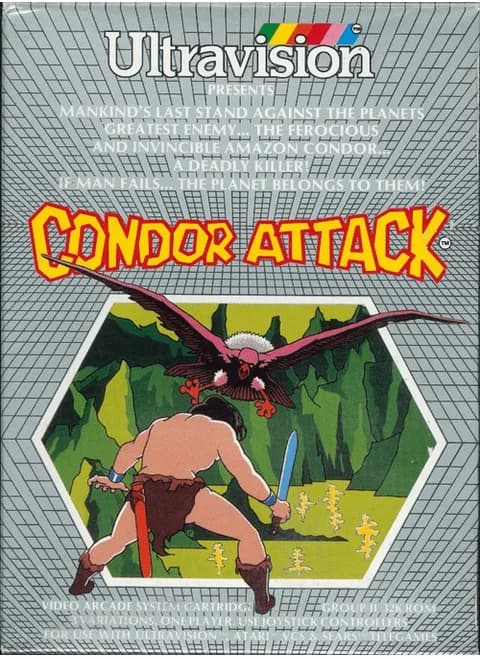
About Condor Attack (1983, PAL)
| Platform | Atari 2600 |
|---|---|
| Publisher | Ultravision |
| Model | 1043 |
| Format | PAL |
| Players | 1 |
| Controller | Atari joystick |
| Firebases | 6 to start, up to 9 extra |
| Levels | 9 |
Condor Attack is an Ultravision shooter for the Atari 2600 with room for one player, and this cartridge is a PAL release. The player holds one firebase near the bottom of the screen: pushing the joystick forward brings the base into view, the stick moves it out of the path of falling bombs, and the red button fires back.
Six bases are in stock, and the Select switch decides which attacker is coming - the condor, the space spider or the bat. Enemies come down faster and vary their attack pattern as the level climbs, and a large target at a high level is worth far more than it was at the first. Every 1,000 points brings another base, up to nine extra. Both difficulty switches at A give a large firebase and at B a small one.
Controls
- Arrow keys = joystick
- X = fire button
- Enter = console Reset switch (starts a game)
- V = console Select switch (cycles game modes)
- Q / Tab = left difficulty A / B; E / R = right difficulty A / B
- 1 = quick save state, 2 = quick load, 3 = change save slot (saved in this browser)
- Every key can be remapped in the emulator's Control Settings; USB/Bluetooth gamepads work too
- On phones/tablets, turn on the on-screen touch gamepad from the game page
Tips
- Both difficulty switches in B shrink the firebase, which makes enemy fire easier to slip past.
- The base only appears once you push the joystick forward, so bring it up before the first bomb lands.
- Each 1,000 points adds a base on top of the six you start with, to a maximum of nine extras.
FAQ
- How many firebases do you get?
- Six at the start, plus one for every 1,000 points up to nine extra bases, so a long run can hold 15.
- What do the difficulty switches do here?
- They set the size of the firebase: both at A gives the large base, both at B the small one. A large base is harder to keep out of the way of incoming fire.
- Can you pick the enemy?
- Yes. The Select switch chooses between the condor, the Nirobean spider and the Vulcanian bat.
Sources
Last updated:



Player comments
0 approvedNo public comments yet. Share a memory from this game.