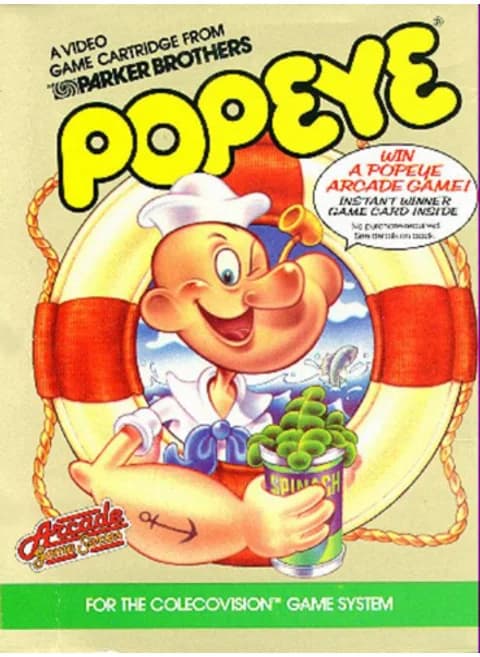
About Popeye
| Year | 1983 |
|---|---|
| Released | 1983-08 (ColecoVision); arcade original 1982 |
| Developer | Parker Brothers (port); arcade original by Nintendo |
| Publisher | Parker Brothers |
| Genre | Platform |
| Players | 1 (other menu options not checked) |
Popeye started as a 1982 Nintendo arcade game based on E. C. Segar's comic strip, with Genyo Takeda and Shigeru Miyamoto among its designers. Nintendo licensed the home rights to Parker Brothers, which released this ColecoVision version in August 1983 alongside its Atari 2600 and Intellivision cartridges.
You play Popeye the Sailor. Olive Oyl walks along the top of the screen and drops items, hearts in the first stage, and Popeye has to collect each one; leave it lying at the bottom too long and you lose a life. Brutus chases him across the platforms and stairs, and bottles and other objects come flying in. Popeye can punch those objects away, but there is no jump button, so you have to read Brutus's moves and use the stairs to stay out of reach.
Each stage has one can of spinach. Eat it and Popeye can finally fight back: for a short time Brutus runs away and can be knocked out just by running into him. Saving the spinach for the moment Brutus corners you is the main skill of the game.
When the cartridge starts, the first stage is shown with the message "SELECT GAMES 1-4"; on this page the keypad numbers are the keyboard keys 1–8, and pressing 1 started play in our test.
Controls
- Arrow keys = joystick
- X = left (yellow) fire button
- Z = right (red) fire button
- 1–8 = keypad 1–8, Enter = keypad *, V = keypad #
- Title screen 'SELECT GAMES 1-4': keypad 1 (key 1) started a game; 2–4 pick the other listed games
- Number keys 1–8 are the Coleco keypad on this system, so the 1/2/3 save-state hotkeys don't apply; use the emulator menu to save/load states
- Every key can be remapped in the emulator's Control Settings; USB/Bluetooth gamepads work too
- On phones/tablets, turn on the on-screen touch gamepad from the game page
Tips
- At the 'SELECT GAMES 1-4' screen press 1 to start; the other numbers pick the other game options.
- Keep track of falling items: one left too long at the bottom costs a life.
- Punch bottles and other flying objects instead of trying to outrun them.
- Save the spinach for when Brutus is close; while it lasts he flees and can be knocked out by touching him.
FAQ
- How do I start a game?
- When the cartridge loads you see 'SELECT GAMES 1-4'. Press a keypad number; on this page the keypad is the keyboard number keys, and pressing 1 started a game in our test.
- Can Popeye jump?
- No. Like the arcade original there is no jump button. You move along platforms and stairs and use the punch to clear objects.
- Who made this version?
- The arcade game was made by Nintendo in 1982. Parker Brothers held the home licence and released this ColecoVision cartridge in August 1983.
Sources
- Wikipedia: Popeye (video game)
- Wikipedia: List of ColecoVision games
- github.com/EmulatorJS/EmulatorJS (v4.2.3 default keyboard map)
Last updated:
Player comments
0 approvedNo public comments yet. Share a memory from this game.