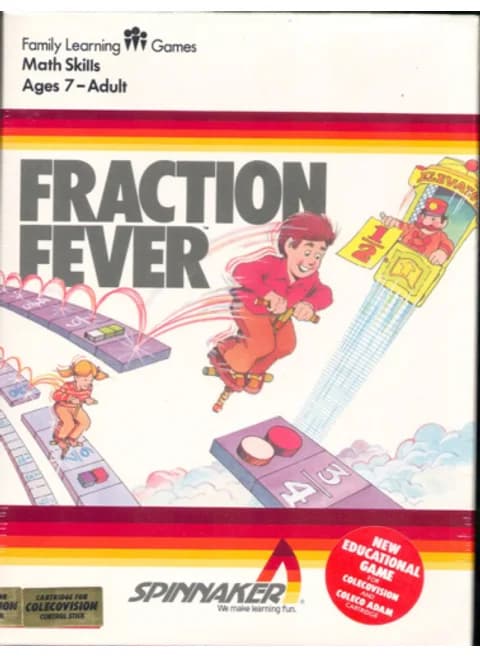
About Fraction Fever
| Platform | ColecoVision |
|---|---|
| Publisher | Spinnaker Software |
| Released | 1983 |
| Subject | Equivalent fractions |
Fraction Fever is an educational ColecoVision game that Spinnaker Software released in 1983. You move a pogo stick sideways along a platform and hunt for the fraction that is equivalent to the one displayed on screen, so the game works as a matching drill: find the same value written another way.
Controls
- Arrow keys = joystick
- X = left (yellow) fire button
- Z = right (red) fire button
- 1–8 = keypad 1–8, Enter = keypad *, V = keypad #
- Number keys 1–8 are the Coleco keypad on this system, so the 1/2/3 save-state hotkeys don't apply; use the emulator menu to save/load states
- Every key can be remapped in the emulator's Control Settings; USB/Bluetooth gamepads work too
- On phones/tablets, turn on the on-screen touch gamepad from the game page
Tips
- Read the fraction the game shows before you move: the pogo stick only travels sideways along the platform, so pick the value you want first.
- The number keys are the Coleco keypad here, so reach for the emulator menu when you want to save or load rather than the 1/2/3 hotkeys.
FAQ
- What does Fraction Fever teach?
- Fraction equivalence. You look for the fraction whose value matches the one the game puts on screen, so the practice is matching equal values rather than adding them up.
- Is it single-player only?
- Yes. One player works through the fraction puzzles alone.
Sources
Last updated:

Player comments
0 approvedNo public comments yet. Share a memory from this game.