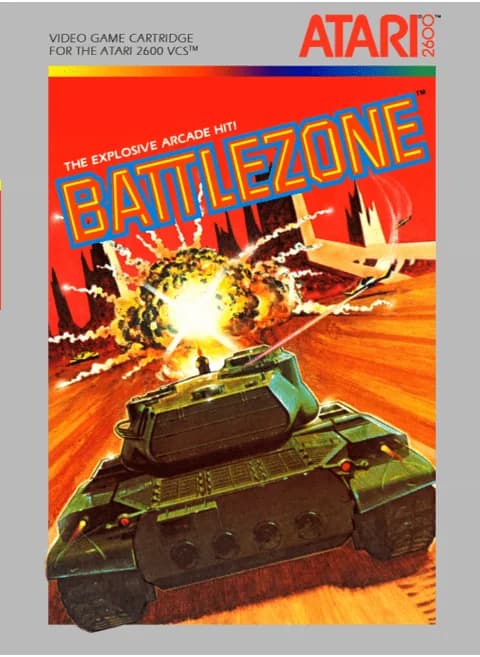
About Battlezone (1983)
| Model | CX2681 |
|---|---|
| Publisher | Atari |
| Players | 1 |
| Controller | Atari joystick |
| Tanks per game | 5 |
| Skill levels | 3 (Novice, Intermediate, Advanced) |
| Extra tank | At 50,000 and 100,000 points |
The 2600 Battlezone keeps the arcade's framing and puts you inside a tank with a periscope view and a radar circle. Enemies sit on the radar as white blips; turn until a blip falls between the two lines at the top and the target is in front of you, then line up the sighting notch and fire.
Four kinds come at you: slow tanks with blue turrets, yellow-turreted supertanks that outrun your machine, fighters that buzz in and swerve aside to fire, and saucers that never shoot but soak up attention. Five tanks per game, three skill levels, and the difficulty switches do nothing at all.
Controls
- Arrow keys = joystick
- X = fire button
- Enter = console Reset switch (starts a game)
- V = console Select switch (cycles game modes)
- Q / Tab = left difficulty A / B; E / R = right difficulty A / B
- 1 = quick save state, 2 = quick load, 3 = change save slot (saved in this browser)
- Every key can be remapped in the emulator's Control Settings; USB/Bluetooth gamepads work too
- On phones/tablets, turn on the on-screen touch gamepad from the game page
Tips
- Swing about 45 degrees and drive off right after a shot - sitting still is how a shell that missed you still finds you.
- Listen for the enemy gun: the sound arrives before the shell, which is the only warning when the shooter is off-screen.
- Back up toward a tank you cannot see. Reverse and it slides into view, and you can fire as it turns to face you.
FAQ
- How do I find enemies I cannot see?
- The radar circle at the top centre is the map: your tank sits in the middle, enemies are white blips, and the two lines mark your field of view. Put a blip between the lines and look up.
- Do the difficulty switches change anything?
- No. The manual states the difficulty switches and the TV type switch do nothing here; press Select for one of three skill levels and count the tanks shown at the bottom.
- What is the sighting mark for?
- A black notch at the top of the screen turns white when a target sits exactly in your line of fire, which is more reliable than judging the turret by eye.
Sources
- AtariAge: Battlezone (CX2681) label page
- AtariAge: Battlezone 2600 manual
- AtariAge: Battlezone (Asia) label page
Last updated:


Player comments
0 approvedNo public comments yet. Share a memory from this game.