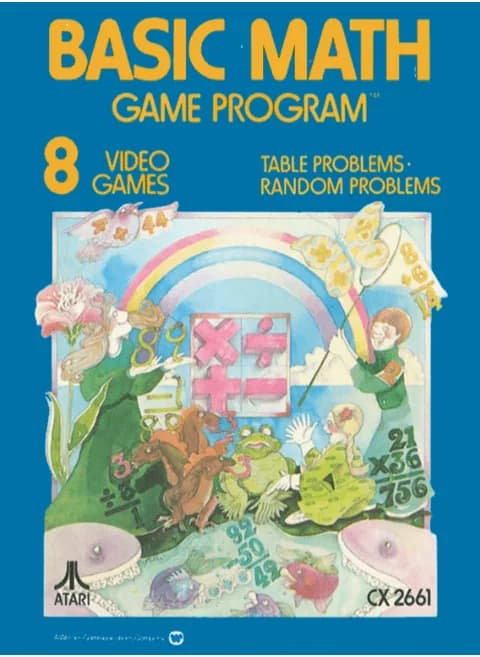
About Basic Math (PAL)
| Platform | Atari 2600 |
|---|---|
| Developer | Atari, Inc. |
| Publisher | Atari, Inc. |
| Release | September 1977 (US) |
| Genre | Educational |
| Players | 1 |
| Modes | 8 |
| Problems per round | 10 |
| Controller | Joystick |
| Model | CX2661 |
Basic Math is an arithmetic practice game for the Atari 2600, released by Atari in September 1977 in North America; the cartridge here is the PAL version. A round is ten problems on a blackboard screen, and each correct answer is worth one point; when the tenth problem is done, the screen flashes the number of problems on one side and the score on the other. Correct and wrong answers both get a short tune, and a wrong answer is wiped away as the right one flashes up.
There are eight modes. Modes 1 to 4 cover addition, subtraction, multiplication and division with a top number the player chooses; modes 5 to 8 take the same four operations with both numbers picked by the computer at random. Answers are entered digit by digit on the joystick, which cycles 0 to 9 forwards and 9 to 0 backwards, while left and right move the answer line so a two-digit result, or a division remainder two places past the quotient, lands in the right spot. The red button records the answer. The two console difficulty switches set the clock: the right switch turns timing on or off, and the left switch gives modes 1 to 4 twelve or twenty-four seconds; in modes 5 to 8 it swaps two-digit problems with 24 seconds for one-digit problems with 12.
Controls
- Arrow keys = joystick
- X = fire button
- Enter = console Reset switch (starts a game)
- V = console Select switch (cycles game modes)
- Q / Tab = left difficulty A / B; E / R = right difficulty A / B
- 1 = quick save state, 2 = quick load, 3 = change save slot (saved in this browser)
- Every key can be remapped in the emulator's Control Settings; USB/Bluetooth gamepads work too
- On phones/tablets, turn on the on-screen touch gamepad from the game page
Tips
- In modes 1 to 4 the top number is yours to choose; if fewer than ten problems exist for it, the game fills the round from the next number group.
- Right difficulty B removes the clock; A times every problem, with the left switch choosing 12 or 24 seconds in modes 1 to 4.
- Enter the last digit of a multi-digit answer on the answer line first, then shift the line left for the next one.
- Division answers with a remainder need the answer line two places to the right of the quotient before you record.
FAQ
- How many problems are in a game?
- Ten. Each correct answer scores one point, and the last screen flashes the number of problems on the right and the score on the left.
- How do you enter an answer?
- The joystick cycles digits, pushed forward for 0 to 9 and pulled back for 9 to 0, left and right move the answer line, and the fire button records the answer.
- How do the difficulty switches change a round?
- The right switch sets whether a round is timed. The left switch gives 12 or 24 seconds in modes 1 to 4, and in modes 5 to 8 it selects two-digit problems with 24 seconds or one-digit problems with 12.
Sources
Last updated:



Player comments
0 approvedNo public comments yet. Share a memory from this game.